Desktop: the second door#
The server is where IT governs. The desktop is where an engineer works. It is the same workplace, installed on your own machine, for one person.
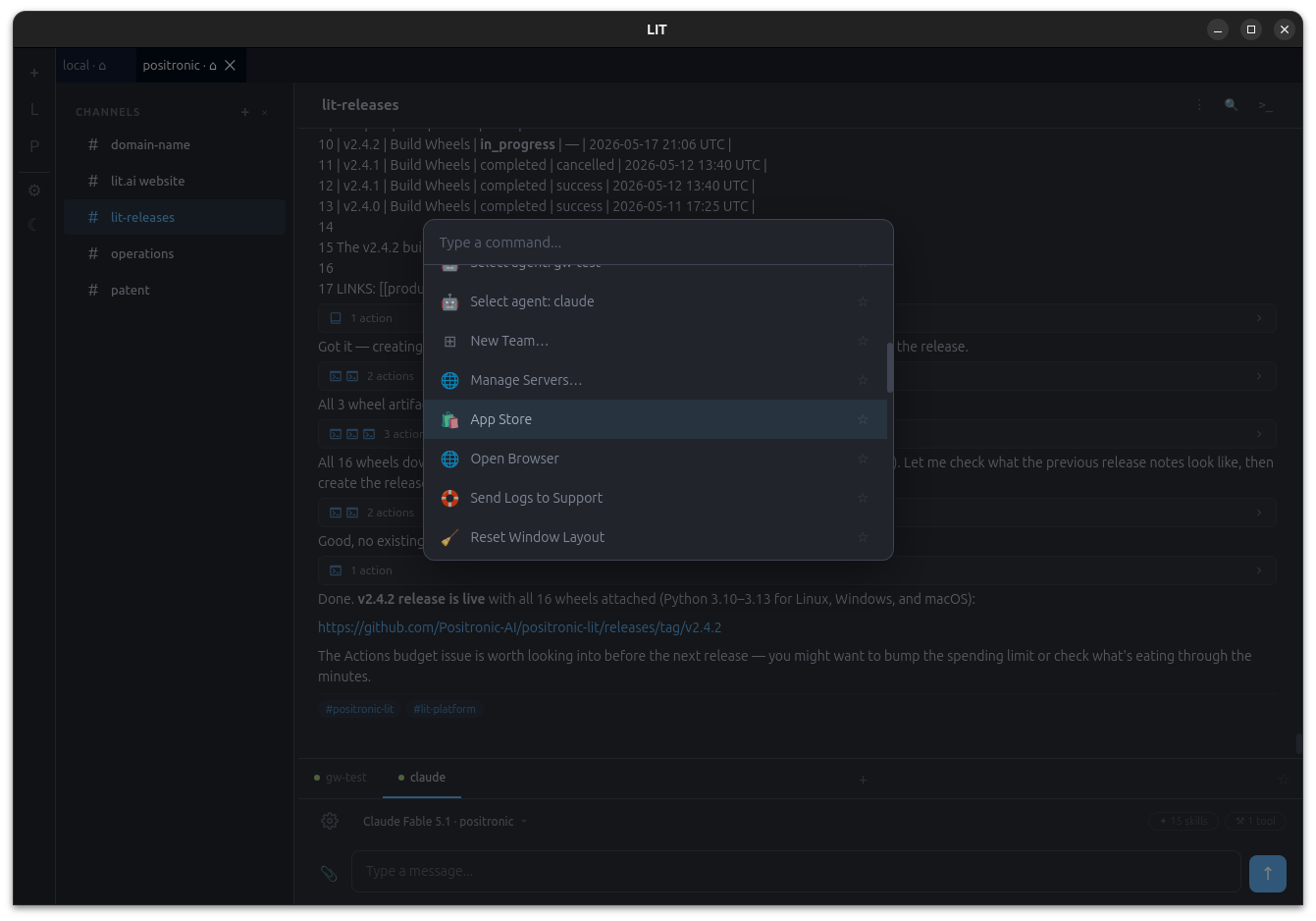
One person, same workplace#
LIT Desktop is a native app for macOS, Windows and Linux. It bundles the whole platform engine as a sidecar, so there is no Python to install, no Docker, no server to stand up. Open the app, connect a credential (a Claude, ChatGPT or Gemini subscription, or an API key), create an agent, and you are chatting in #general on your own hardware.
It is free for personal use. Nothing you do in it leaves the machine except what you send to the model vendor you chose.
Docked panels#
The desktop is a docking workspace, not a single chat window. Chat, file viewer, search, browser, terminal, settings and any team app are panels you can drag, split, tab and resize. The layout persists between launches.
The limitation this removes: a chat tab in a browser cannot sit beside the file the agent is editing. On the desktop, it can.
Your channels, on your disk#
A desktop channel is a folder. Open any project directory as a channel and the agent works in it, with the conversation and its memory stored in a .lit/ directory inside. Your channels are files you own, on a disk you own, and they compound the way channels do on the server: context accumulates for months.
Every channel is searchable from one panel with three tabs:
- Text — search across the channel's history and jump to the hit.
- Calendar — pick a day and read what happened.
- Knowledge Graph — the tags the agent leaves on messages, drawn as a graph you can browse.
Local files, local models#
The agent's tools run on your machine with your permissions, against your files. If you run local models with Ollama, the desktop finds them; no credential is needed, and you can point an agent at a model on your own GPU for work that must never leave the room. Use a frontier model for the hard reasoning and a local one for the mechanical work in the same channel.
The model picker is the same one the server has.
The bundled engine#
The sidecar is the same lit package that ships in the platform wheel, frozen into a single binary. That matters for one reason: the desktop is not a different product with a subset of features. It is the platform, running for one user. Heartbeats, skills, MCP servers, team apps and the record all work locally.
One deliberate boundary: closing the app stops everything it started, live sessions included. A desktop is not a server. If you want an agent that keeps working after you close the lid, that agent belongs on a server — and the desktop can connect to one.
Connect to a team server#
Add a server connection (sign in with the team's SSO through your system browser) and its teams appear beside your local ones as places in the sidebar. Open a server channel and you are talking to the agent that runs there, under that team's policy, on that team's record. Your local channels stay local.
The address model makes this simple: host / team / channel is one address space, and the desktop is a viewer of addresses. You can be connected to several hosts at once. An unreachable host dims; it never errors.
From the same settings panel you can subscribe to a partner's app store, pair your phone by QR for access on the local network, and — where your server offers it — allow your phone to reach this desktop from anywhere. See Reach and Mobile.
Releases#
Installers for Linux (.deb, .rpm), macOS (Apple Silicon; Intel coming) and Windows (.msi), from the releases page. The build is early access and not yet code-signed; the install page walks through the one-time step on each OS.
Partners ship the same app under their own name and icon.